
VoltKit RTC
Free account requiredVideo calling API and SDK for 1:1 and group calls
Full HD video with HD audio at ₹99 (≈ $1.04) per 1,000 participant-minutes, billed per second.
Put live video calls in your web or mobile app with one API. Your backend mints a token for each person, the SDK joins the room and carries the media, and there are no media servers for you to run. The same room carries a 1:1 call, a group call or a room with an audience, with chat in it.
Every account gets 10,000 free participant-minutes every month, shared by all your projects, at any quality. Use them up and the rest is billed from your wallet or plan at the same rates; they reset on the 1st of each month (UTC). How the free minutes work
- Up to 1080p, adaptive
- 1:1 and group calls
- Screen sharing
- Chat included
- Billed per second

How it works
A video call in three steps
Your server decides who may join, and your app only holds a token valid for one room, one person and one role.
- 1. Your backend creates the roomTwo REST calls with your API secret, or the server SDK: make sure the room exists, then mint a token per person with the role you decide. See issue tokens from your backend.
- 2. Your app joins with the tokenThe SDK opens the connection, receives every track already in the room, and tells your screen about each new one as an event or a hook.
- 3. People talkHosts and co-hosts publish camera and microphone. A dropped connection rejoins and publishes again by itself, and your screen is told while it does.
Code
The token endpoint and the call
The server side, then the same call in three client SDKs. React and React Native have hooks: see their pages below.
$ npm install @voltkit-rtc/serverconst express = require("express");
const { StreamClient } = require("@voltkit-rtc/server");
const rtc = new StreamClient({ baseUrl: process.env.VOLTKIT_RTC_URL, apiKey: process.env.VOLTKIT_RTC_SECRET });
const app = express();
app.use(express.json());
// POST /calls/:callId/token (your auth middleware sets req.user)
app.post("/calls/:callId/token", requireUser, async (req, res) => {
const call = await db.calls.find(req.params.callId);
if (!call || ![call.callerId, call.calleeId].includes(req.user.id)) return res.sendStatus(404);
await rtc.ensureRoom({ roomId: call.id, hostIdentity: call.callerId });
const role = req.user.id === call.callerId ? "host" : "cohost";
const { token, wsUrl, expiresAt } = await rtc.createToken({ roomId: call.id, identity: req.user.id, role });
if (!token || !wsUrl) return res.status(502).json({ error: "The RTC service returned an incomplete token; try again" });
res.set("Cache-Control", "no-store").json({ token, wsUrl, expiresAt });
});$ npm install @voltkit-rtc/clientimport { StreamClient } from "@voltkit-rtc/client";
const { token, wsUrl } = await fetch(`/api/calls/${callId}/token`, { method: "POST" }).then((r) => r.json());
const client = new StreamClient(wsUrl, token);
// Wire events before connecting: tracks that are already
// being published arrive during connect().
client.on("track", ({ producerId, identity, kind, source, track }) => {
const element = mediaElementFor(producerId, identity, kind, source); // your <video> or <audio>
element.srcObject = new MediaStream([track]);
void client.play(element); // see "Sound that needs a tap"
});
client.on("closed", (reason) => leaveScreen(reason));
const joined = await client.connect(); // rejects when the join is refused: see Errors
const constraints = { audio: true, video: { width: 1280, height: 720 } }; // 720p
const media = await navigator.mediaDevices.getUserMedia(constraints);
await client.publish(media, constraints);$ flutter pub add voltkit_rtc flutter_webrtcfinal creds = await fetchRoomCredentials(roomId);
client = StreamClient(wsUrl: creds.wsUrl, token: creds.token);
// Wire events before connecting: tracks already being published arrive during connect().
client.onTrack.listen((t) async {
if (t.kind != 'video') return; // remote sound plays without a renderer
final renderer = RTCVideoRenderer();
await renderer.initialize();
renderer.srcObject = t.stream;
setState(() => videos[t.producerId] = renderer); // show each with RTCVideoView(renderer)
});
client.onClosed.listen(handleClosed); // why it ended: see Errors
final joined = await client.connect(); // throws RpcError when the join is refused
if (joined.role.canPublish) {
await client.publish(); // camera and microphone
}implementation("in.voltkit:voltkit-rtc:0.9.19")client = StreamClient(this, wsUrl, token)
// Collect before connecting: tracks already live arrive during connect().
lifecycleScope.launch { client.onTrack.collect { t -> if (t.isVideo) client.attachVideo(t, remoteRenderer) } }
lifecycleScope.launch { client.onClosed.collect { reason -> showEnded(reason) } }
lifecycleScope.launch {
try {
val join = client.connect(mapOf("name" to "Asha"))
if (join.role.canPublish) client.publish(PublishOptions()) // camera and microphone
} catch (e: RpcError) {
showError(e.code)
}
}A new project starts with its media off, so switch on video in the project's Settings before the first call; allowing a mode costs nothing by itself. Step by step: on a website, in React, on Android, in Flutter and in React Native.
Built in
What the API handles, and what your app builds
What VoltKit does
- Rooms, with roles signed into each token and enforced by the service
- Camera and microphone capture, publishing and receiving, in several copies per stream
- Reconnects after a dropped connection, with publishing restored
- Screen sharing beside the camera, with shared audio where the platform allows
- Chat on the same connection, and moderation: forced mute, kick and role changes
- Signed webhooks when rooms start and end and when people join and leave
What your app builds
- Your call screen and its layout
- Your sign-in and your token endpoint
- Ringing and push notifications for incoming calls
- Call history, from the webhooks if you like
- Payments between your users, if your app has them
Quality
1080p, 720p and 480p, adaptive
HD audio included in video — no separate audio charge. All three sizes are on every project and cost the same at 30 fps. Each viewer receives the largest copy their connection can carry, and a small tile receives a small copy.
| Quality | Size (landscape) | Top at 30 fps | Top at 60 fps | Viewer data per hour, 30 / 60 fps |
|---|---|---|---|---|
| 1080p | 1920×1080 | 6 Mbps | 9 Mbps | about 2.75 / 4.10 GB |
| 720p | 1280×720 | 3 Mbps | 4.5 Mbps | about 1.40 / 2.07 GB |
| 480p | 854×480 | 1.2 Mbps | 1.8 Mbps | about 0.59 / 0.86 GB |
These are encoding ceilings, not a promise that every camera or connection delivers them, and the data figures assume one full-size stream. 60 fps: Charged only while 60 fps is actually delivered. It needs a 60 fps camera or source. More in Video quality.
Group calls
Group video calls are the same room
There is no separate group product: everyone who should appear holds a role that may publish, and your app lays out the tiles.
- What each person receivesAt most 25 videos at once, and at most 4 of them above 360p; the others are held at 360p. A video waiting for a place is reported, not dropped with an error.
- What each person paysOne rate, however many streams arrive. There is no price tier for the number of tiles on screen.
- Small tiles and busy devicesTell the SDK how big each tile is, and it receives the smallest copy that fills it and pauses what is off screen. On a busy phone it can stop encoding the biggest copy.
- Roles
hostandcohostpublish,hostandmoderatormoderate, andviewerwatches. Change a role during the call: see Rooms. - An audience in the roomViewers join the same room and are billed at the rate of what they receive, and a host can bring one on stage. The stage and seats are on voice chat rooms and multi-guest rooms.
- Chat beside the callEvery room has a channel, with no extra connection. See in-app chat.
Screen sharing
A screen beside the camera
Hosts and co-hosts can publish one camera and one screen at once. A screen share is billed as video.
detailSlides, documents, codeUp to 1080p at 15 fps. About 3.1 Mbps of upload before audio.motionVideo, games, movementUp to 1080p at 30 fps. About 6.6 Mbps of upload before audio.
Browsers, Android, Flutter and React Native each set it up differently, and most mobile browsers cannot capture a screen: Screen sharing.
Pricing
What a call costs
Each participant is billed one rate at a time: the highest of what they send and what they receive, recorded every 5 seconds and charged per second.
- Full HD Video + HD AudioUp to 1080p/30, HD audio included₹99 (≈ $1.04) per 1,000 participant-minutes
- 720p/60Up to 720p at 60 fps, HD audio included₹124 (≈ $1.31) per 1,000 participant-minutes
- 1080p/60Up to 1080p at 60 fps, HD audio included₹149 (≈ $1.57) per 1,000 participant-minutes
2 people × 30 minutes = 60 participant-minutes
60 participant-minutes × 99 ÷ 1,000 = 5.94 credits, ₹5.94 (≈ $0.06) at today's rate
Full HD Video + HD Audio: 99 credits per 1,000 participant-minutes. Billed per second, so a 7½-minute call costs 7½ minutes.
6 people × 45 minutes = 270 participant-minutes
270 participant-minutes × 99 ÷ 1,000 = 26.73 credits, ₹26.73 (≈ $0.28) at today's rate
Full HD Video + HD Audio: 99 credits per 1,000 participant-minutes. Billed per second, so a 7½-minute call costs 7½ minutes.
Prices are in Indian rupees; dollar figures are approximate, at ₹95 per US dollar on 24 October 2026, for orientation only. You are billed in rupees.
Whole months, and what drives the bill: low-cost video calling API. Other vendors' prices: compare video APIs. Every rate: pricing.
Limits
What it does not do
- Video above 1080p.
- Ringing: your own push channel rings the other person.
- Calling phone numbers: calls are in-app, between your users.
- A ready-made call screen: your app draws it from tracks and hooks.
- Transcription or captions.
- A released native iOS (Swift) SDK: it is in preview. Flutter targets iOS 13 and later; VoltKit has tested it on Android, not yet on an iPhone.
Rooms you can build on this
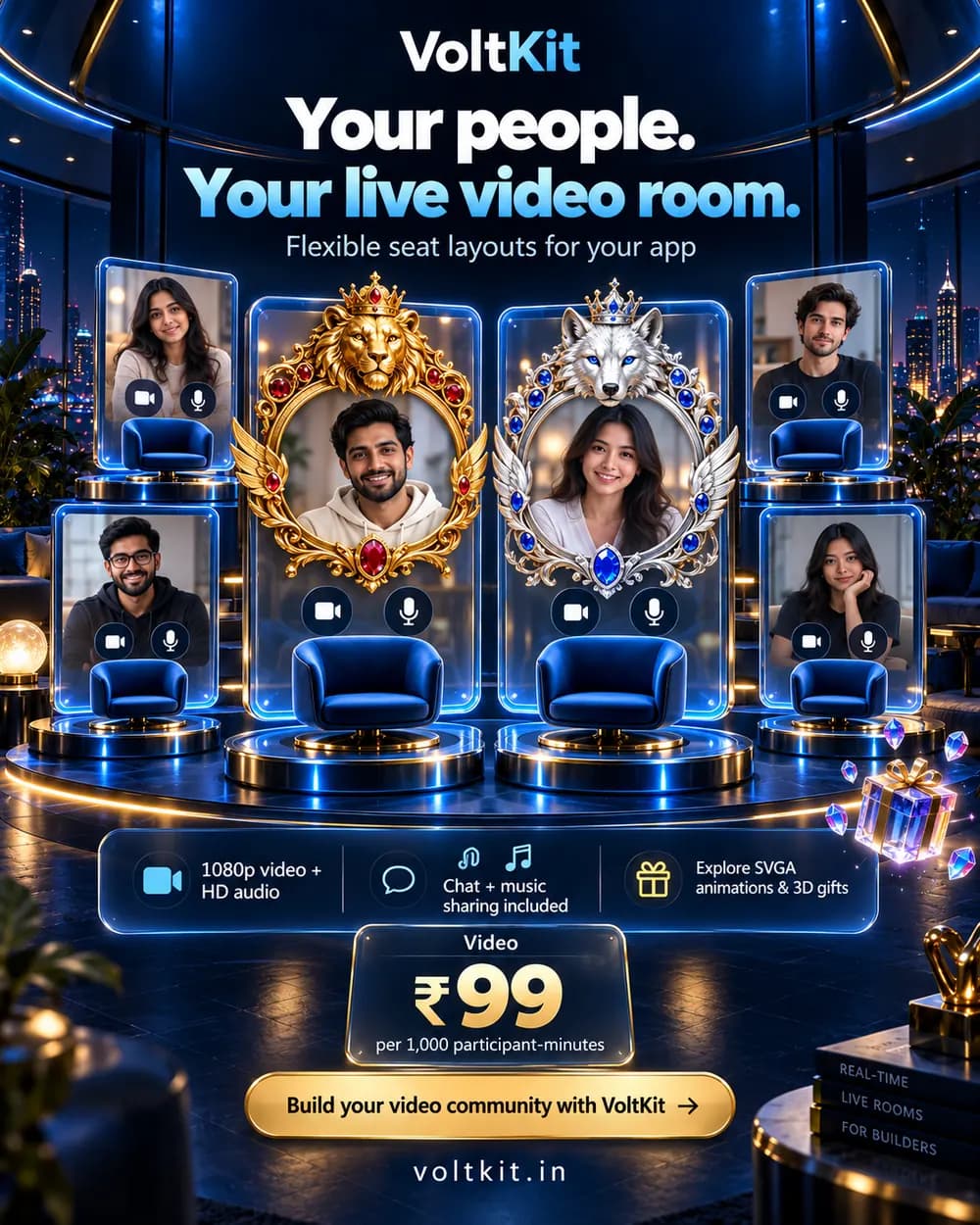 Your people. Your live video room.
Example screens: you build them in your app with VoltKit's SDKs. Premium gifts are sold separately.
SDKs
A page for each platform
10 SDKs, and rooms, roles and tokens mean the same in each. Here is what each client SDK adds, and the full list with install lines.
- JavaScript SDKVideo calls in any web app, with or without a framework.JavaScript
- React SDKHooks and components for React and Next.js.React
- React Native SDKHooks and native video views. Tested on Android, iOS in preview.React Native
- Flutter SDKOne codebase for Android and iOS. Tested on Android, not yet on an iPhone.Flutter
- Android SDKNative Kotlin, voice first, with call audio handled for you.Android
JavaScript (browser)
JavaScript SDK guideReact (browser)
React SDK guideReact Native (Android; iOS preview)
React Native SDK guideDemo app: VoltKit's complete demo app on the React Native (Android; iOS preview) SDK on GitHub, opens in a new tabExample app: an example app on the React Native (Android; iOS preview) SDK on GitHub, opens in a new tabSource on GitHub: the React Native (Android; iOS preview) SDK's source on GitHub, opens in a new tabNode.js (server)
Node.js SDK guideDemo backend: VoltKit's complete demo backend on the Node.js (server) SDK on GitHub, opens in a new tabPython (server)
Python SDK guideExample app: an example app on the Python (server) SDK on GitHub, opens in a new tabGo (server)
Go SDK guideExample app: an example app on the Go (server) SDK on GitHub, opens in a new tabSource on GitHub: the Go (server) SDK's source on GitHub, opens in a new tabPHP (server)
PHP SDK guideExample app: an example app on the PHP (server) SDK on GitHub, opens in a new tabSource on GitHub: the PHP (server) SDK's source on GitHub, opens in a new tabJava (server, Spring Boot)
Java SDK guideFlutter (iOS and Android apps)
Flutter SDK guideDemo app: VoltKit's complete demo app on the Flutter (iOS and Android apps) SDK on GitHub, opens in a new tabExample app: an example app on the Flutter (iOS and Android apps) SDK on GitHub, opens in a new tabAndroid (Kotlin apps)
Android SDK guideDemo app: VoltKit's complete demo app on the Android (Kotlin apps) SDK on GitHub, opens in a new tabExample app: an example app on the Android (Kotlin apps) SDK on GitHub, opens in a new tabNative iOS (Swift)
In preview, not released yet. Flutter targets iOS 13 and later; VoltKit has tested it on Android, not yet on an iPhone. For early access, email contact@voltkit.in.
iOS preview notes
Next
Still choosing?
- Free minutesHow the monthly allowance works: what counts as a minute, when it resets and what happens after.The free minutes
- Why VoltKitWhat you get, what it costs, and when to choose something else.Why VoltKit
- Low-cost video calling APIWhat a month really comes to at several volumes, and what drives the bill.See the sums
- Compare video APIsOther vendors' list prices with their sources, and which one fits what you build.Compare
Guides and articles: How to Add a Video Call to a Next.js App, Build a Study Room or Watch-Together App in Flutter, How Video Call APIs Charge: Participant-Minutes and How to Choose a Video Calling SDK in 2026.
Video calling API: questions
What is a video calling API?
A service your app calls to put people in a live video call, so you do not have to run media servers or write your own WebRTC signalling. On VoltKit RTC your backend creates a room and mints a short-lived token for each person; the app joins with the token and the SDK handles the media.
Does it do group calls as well as 1:1?
Yes, with the same room. A 1:1 call is a room of two; a group call is a room where everyone holds a role that may publish. A participant receives at most 25 videos at once, and at most 4 of them above 360p; the others are held at 360p, and the SDKs choose a copy to fit the size each tile is shown at.
Do I need a backend?
Yes, a small one: your API secret stays on your server, and it mints a token per user. It is a few lines with the server SDKs, or two REST calls from any language. The app receives only the token and the wsUrl.
How much does a video call cost?
A 30-minute 1:1 call is 60 participant-minutes: 5.94 credits, ₹5.94 (≈ $0.06) at today's rate. Six people for 45 minutes is 270 participant-minutes: 26.73 credits, ₹26.73 (≈ $0.28) at today's rate. It is billed per second, and video includes HD audio.
What video quality does it send?
1080p, 720p and 480p on every project, at 30 fps or with a 60 fps upgrade where the camera provides it. Video goes out in several copies at once (simulcast), and each viewer receives the largest copy their connection can carry and their tile needs.
Can I share a screen in a call?
Yes. A host or co-host can share a screen beside the camera, in a detail mode for text and a motion mode for video, with shared tab or system audio where the browser or platform allows it. A screen share is billed as video.
Who rings the person being called?
No. The SDKs do not ring: your own push channel does, and the callee's app asks your backend for a token when they answer. There is a worked flow in the voice calls guide, and the same goes for video.
Which platforms have an SDK?
Client SDKs for the browser, React, React Native, Flutter and Android, and server SDKs for Node.js, Python, Go, PHP and Java. Flutter targets iOS 13 and later; VoltKit has tested it on Android, not yet on an iPhone. React Native is tested on Android, with iOS in preview. The native iOS (Swift) SDK is in preview and not released yet; for early access, email contact@voltkit.in.
Put two people in a call
Create a free account, make an RTC project, switch on video in its settings, and follow the quickstart.
Talk to us:contact@voltkit.inWhatsApp