
VoltKit RTC
Free account requiredVoice calling API for in-app voice calls
Standard voice from ₹39 (≈ $0.41) per 1,000 participant-minutes, billed per second.
Let your users call each other inside your app. A call is a room with two people in it: your backend sets it up, the SDK runs the call audio, and nobody needs a phone number. It works for one-to-one calls, group voice calls, and paid calls your app times itself.
Every account gets 10,000 free participant-minutes every month, shared by all your projects, at any quality. Use them up and the rest is billed from your wallet or plan at the same rates; they reset on the 1st of each month (UTC). How the free minutes work
- In-app voice
- Earpiece, speaker, headsets
- Survives a network change
- Billed per second

How a call flows
From tapping Call to hanging up
A room costs nothing until someone joins, and usage is per participant-minute. Your backend stays in charge of who may call whom.
- 1. The caller taps CallYour app asks your backend to start a call with the other person.
- 2. Your backend sets it upIt creates a room for the call, mints a token for the caller (host) and one for the callee (cohost), and rings the callee through your own push channel with the call id.
- 3. Both apps connectEach connects with its token and publishes its microphone. Each hears the other as soon as both are in, and remote audio plays by itself.
- 4. Either side hangs upThe other side is told why: left when they hung up, disconnected when their connection dropped, so it can wait for them to come back.
Code
A voice call in Kotlin and Flutter
The Android example keeps its client in a ViewModel, so a rotation does not hang up. The room, hand and seat calls are named the same in JavaScript and Flutter; audio routing is per platform.
implementation("in.voltkit:voltkit-rtc:0.9.19")fun start(wsUrl: String, token: String, speakerphone: Boolean) {
val c = StreamClient(getApplication(), wsUrl, token, StreamOptions(speakerphone = speakerphone))
client = c
// Collect before connect(): the other side may already be there.
// … the other side's mute
viewModelScope.launch {
c.onParticipantLeft.collect { gone ->
if (gone.reason == "left") {
hangUp() // they hung up
} else {
status.value = "reconnecting…" // their connection dropped: give it time
peerAway = viewModelScope.launch { delay(30_000); hangUp() }
}
}
}
// … who joined, and the connection state
viewModelScope.launch {
try {
c.connect(mapOf("name" to "Asha"))
c.publish(PublishOptions(video = false)) // the microphone only
} catch (e: RpcError) {
status.value = "failed: ${e.code}"
c.close()
}
}
}
fun setMuted(muted: Boolean) = viewModelScope.launch { client?.setMicEnabled(!muted) }
fun setSpeaker(on: Boolean) = client?.setSpeakerphoneOn(on)
fun hangUp() { client?.close() }$ flutter pub add voltkit_rtc flutter_webrtcawait client.publish(constraints: {'audio': true, 'video': false}); // microphone only
await client.setMicEnabled(false); // mute; the room sees it on onTrackMuted
client.micEnabled; // on air now?
await client.unpublish(); // stop publishing and release the devices
await client.setSpeakerphoneOn(true); // a headset still winscurl -X PUT "$VOLTKIT_RTC_URL/v1/rooms/call-8f3a" \
-H "X-API-Key: $VOLTKIT_RTC_SECRET" -H "Content-Type: application/json" \
-d '{"hostIdentity":"user-7"}'
curl -X POST "$VOLTKIT_RTC_URL/v1/rooms/call-8f3a/tokens" \
-H "X-API-Key: $VOLTKIT_RTC_SECRET" -H "Content-Type: application/json" \
-d '{"identity":"user-99","role":"cohost"}'A new project starts with its media off: switch on standard voice in the project's Settings first. To build the whole app: how to build a voice chat app.
Call audio
Earpiece, speaker and headsets on Android
Phones make this harder than it sounds. On Android the SDK runs the call audio while connected, and puts everything back on hanging up. VoltKit has tested this routing with fakes and on an emulator with no earpiece, not yet on a phone with an earpiece or a Bluetooth headset.
- The routeA connected Bluetooth headset or car kit wins, unless it refuses, then the next output: a wired or USB headset, then the loudspeaker or the earpiece as you choose. Headsets that come and go are followed during the call.
- A call held to the earStart on the earpiece with
StreamOptions(speakerphone = false), and letsetSpeakerphoneOn(true)be your speaker button. A connected headset still wins;switchDevicepicks an output even over a headset. - No Bluetooth permissionBluetooth headsets need no Bluetooth permission on Android. Set the call Activity's volume stream, so the volume keys change the call volume.
- With the screen offA foreground service of type
microphonekeeps the call going. See calls in the background. - When the network changesMoving from Wi-Fi to mobile data repairs the media path without dropping the call. A lost connection reconnects with backoff and publishes your microphone again.
- Signal bars
onNetworkQualityreports the connection every 3 seconds as excellent, good, poor or bad, so your screen can show it.
Built in
What the API handles, and what your app builds
What VoltKit does
- A room per call, created with one call that also gets it back if it exists
- Short-lived tokens with the role signed in, refreshed during the call
- Call audio routing and audio focus on Android
- Mute, with the other side told, and who is speaking
- A signed webhook when someone joins or leaves, with how long they stayed
What your app builds
- Ringing: your push channel, and an incoming-call screen
- Who may call whom, and your sign-in
- Giving up after 30 to 60 seconds of ringing, by ending the room from your backend
- Call history, and charging your users per minute if your app does that
Pricing
What a voice call costs
Standard audio is the default and right for speech. HD audio is billed only when a microphone asks for it or is measured above 72 kbps.
- Standard VoiceUp to 64 kbps₹39 (≈ $0.41) per 1,000 participant-minutes
- HD VoiceUp to 128 kbps₹49 (≈ $0.52) per 1,000 participant-minutes
2 people × 10 minutes = 20 participant-minutes
20 participant-minutes × 39 ÷ 1,000 = 0.78 credits, ₹0.78 (≈ $0.01) at today's rate
Standard Voice: 39 credits per 1,000 participant-minutes. Billed per second, so a 7½-minute call costs 7½ minutes.
2 people × 5 minutes × 1,000 sessions = 10,000 participant-minutes
10,000 participant-minutes × 39 ÷ 1,000 = 390 credits, ₹390.00 (≈ $4.11) at today's rate
Standard Voice: 39 credits per 1,000 participant-minutes. Billed per second, so a 7½-minute call costs 7½ minutes.
Prices are in Indian rupees; dollar figures are approximate, at ₹95 per US dollar on 24 October 2026, for orientation only. You are billed in rupees.
Chat, tokens and webhooks are not billed. Other vendors' voice rates: compare video APIs and whole months at each vendor. Every rate: pricing.
More than two people
Group voice calls and voice rooms
A group voice call is the same room with more people who publish, at the same rates. A room with a stage, seats and an audience has its own page.
From a call to a community
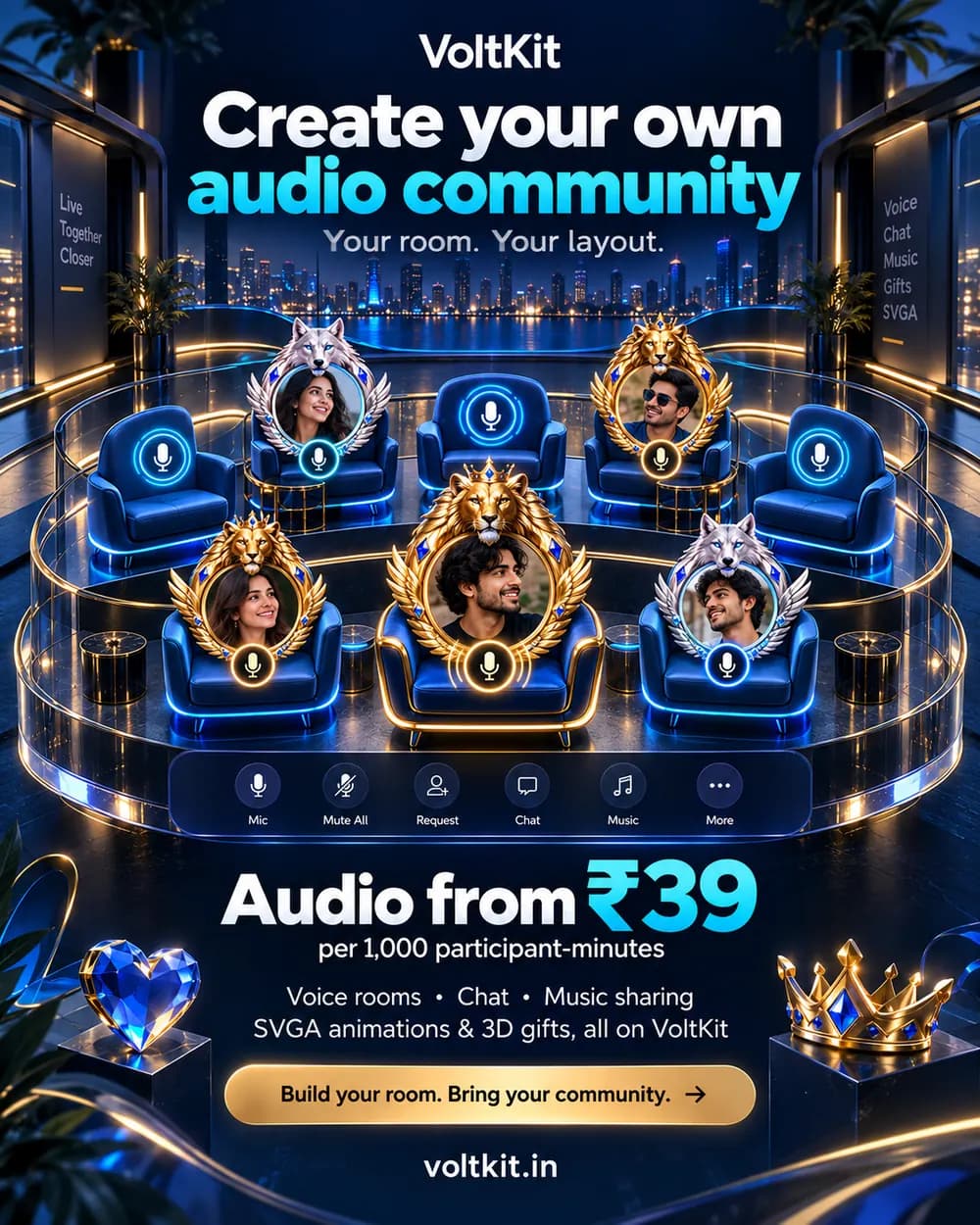 Create your own audio community.
Example screens: you build them in your app with VoltKit's SDKs. The audio price is standard voice; HD voice, music on voice and premium gifts are priced separately.
- Video calling API1:1 and group video calls, adaptive up to 1080p, with screen sharing and chat in the same room.Video calls
- Live chatIn-app chat included with every room, and chat-only connections for people who only read along.In-app chat
- Voice chat roomsSpeakers on a stage, listeners in the room, seats and raise hand.Voice rooms
- Music sharingPlay music into a live room from inside your app, never picked up by the microphone.Music in rooms
Guides and articles: Build a Live Audio Room App With React Native, How to Add Voice Chat to a Browser Game and How Video Call APIs Charge: Participant-Minutes.
SDKs
SDKs for your apps and your backend
The Android SDK is voice first. Flutter targets iOS 13 and later; VoltKit has tested it on Android, not yet on an iPhone. The native iOS (Swift) SDK is in preview.
In your app: JavaScript SDK, React SDK, React Native SDK, Flutter SDK and Android SDK. On your backend: Node.js, Python, Go, PHP and Java. Every install line is on the VoltKit RTC page, and the native iOS (Swift) SDK has its preview notes.
Voice calling API: questions
What is a voice calling API?
A service your app calls to connect its users by voice over the internet. On VoltKit RTC a call is a room with two people in it, each publishing their microphone; your backend creates the room and mints the tokens, and the SDK runs the call.
Can it call phone numbers?
No. VoltKit voice is in-app voice: both people use your app, over the internet. If you need to reach phone numbers, you need a telephony provider for that part.
What does a voice call cost?
A 10-minute call between two people is 20 participant-minutes: 0.78 credits, ₹0.78 (≈ $0.01) at today's rate. Billed per second, so a 7½-minute call costs 7½ minutes.
What is the difference between standard and HD voice?
Standard voice is ₹39 (≈ $0.41) and HD voice ₹49 (≈ $0.52) per 1,000 participant-minutes. Standard is mono Opus up to 64 kbps, the default and right for speech. HD is stereo up to 128 kbps, for when a microphone asks for it. A participant is billed HD only when the microphone asks for it or is measured above 72 kbps.
Does the SDK ring the other person?
No: your push channel does. A common shape on Android is a high-priority FCM data message with the call id, a full-screen incoming-call notification or Android's ConnectionService, and a token fetched when the user accepts, because tokens are short-lived.
Does a call keep going with the screen off?
On Android, yes, from a foreground service of type microphone, started while your app is visible; without it the other side stops hearing you when the screen turns off. The Android guide has the service, and the React Native SDK brings its own. For Flutter on iOS, enable the audio background mode.
Can a voice call turn into a video call?
Yes, if video is switched on for the project. Publish the camera later in the same call, and the rate follows the media: a switch splits the time, so ten minutes of voice then five of video is billed as just that.
Which SDKs can I use?
Client SDKs for the browser, React, React Native, Flutter and Android, and server SDKs for Node.js, Python, Go, PHP and Java. The Android SDK runs the device's call audio for you; in the browser, the SDK leaves routing to your page. Flutter targets iOS 13 and later; VoltKit has tested it on Android, not yet on an iPhone. React Native is tested on Android, with iOS in preview, and the native iOS (Swift) SDK is in preview too; for early access, email contact@voltkit.in.
Build your first voice call
Create a free account, make an RTC project, switch on standard voice in its settings, and follow the voice calls guide.
Talk to us:contact@voltkit.inWhatsApp