
Room decor
Seat frames, chat bubbles and room backgrounds
A voice room is mostly faces in circles and lines of chat, so small decorations do a lot: a frame around a seat, a chat bubble in a member's colours, a background that sets the room's theme. Browse the room decor in the store below, open an item for its watermarked preview and use the originals in your app.
Public previews · Prices after sign-in · Originals after purchase or free claim
Room decor in the store
Seat frames, chat bubbles, room backgrounds and wallpapers. Watermarked previews; sign in to see prices.
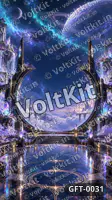
Seat frames
A seat frame decorates a seat in a voice room, around the avatar of whoever sits there. Apps use them for VIP seats, the host's seat or a member's own frame, and often animate them while that person speaks.
- Keep the mute icon, the speaking indicator and the name readable.
- Use a still version for a full grid of seats and animate only the speaker.
- VoltKit RTC rooms have slots, named places one participant holds at a time, which apps use as seats.
Chat bubbles
A chat bubble skin gives a member's messages their own look. Messages vary in length, so a bubble is built to stretch: the corners stay fixed while the edges and the middle grow with the text. Android's nine-patch images, iOS resizable images and CSS border-image all work this way.
- Keep the text area plain enough for any message to stay readable.
- Put the decoration in the corners, which do not stretch.
- Offer a still version: animated bubbles in a fast chat distract.
Room backgrounds and wallpapers
A room background sits behind the seats and sets the room's theme: a night sky, a festival, a lounge. It has to stay calm behind faces, names and chat, on phones of every shape.
- Design for portrait phone screens, and keep the key details where no crop removes them.
- Keep contrast low where the seats and the chat sit.
- Use a still picture or a gentle loop, and leave the big motion to gifts.
How the app uses them
Your server records who owns which decoration; your app draws it. VoltKit RTC room metadata, which moderators can change and every client receives, is a natural place for the id of the room's chosen background.
- A room owner picks the background; members pick their own bubble and seat frame.
- Map decoration ids to files in the app and cache them on the device.
- Check each file on small and large phones before release.
The licence in short
- Use it as you like in your own apps and business: as free gifts, paid gifts or anything else, for any number of users.
- No reselling or sharing the file itself, alone or in a pack.
- Non-exclusive: others may buy the same gift.
Previews on this site are watermarked and lower quality. The original you download from Console → My gifts after buying or claiming is full quality, with no watermark.
Read the full licenceGift questions
What is a seat frame in a voice chat app?
A decoration around a seat in a voice room, drawn around the avatar of whoever sits there. Apps use them for VIP seats or as a member's own frame, often animated while that person speaks.
How does a chat bubble skin fit long and short messages?
It is built to stretch: the corners stay fixed while the edges and the middle grow with the text. Android's nine-patch images, iOS resizable images and CSS border-image all support this nine-slice technique.
What size should a room background be?
Design for portrait phone screens, such as a 9:16 canvas, and keep important details away from the edges so screens of other shapes can crop it safely. Check it behind a full grid of seats and the chat.
Can I sell room decorations to my users?
Yes. The licence lets you use a gift you buy or claim as you like in your own apps and business, including as a paid item or a reward, for any number of users. You may not resell or share the file itself.
Does VoltKit RTC store which background a room uses?
It can hold the choice: room metadata travels with the room, moderators can change it and every client receives it. The picture itself is a file in your app.
Can you design a matching room set?
You can ask through a custom enquiry: list the seat frames, bubbles and backgrounds you need, your seat layout, formats and sizes. An enquiry is a conversation, not an order; scope and terms are agreed first.
Build with 3D gifts
From choosing artwork to planning a live-room experience.
RTC with 3D gifts →
Plan gift overlays for live video, voice rooms and social experiences.
Animated gifts & formats →
Compare SVGA, animated WebP and still artwork for your app.
Custom 3D gift enquiries →
Share a brand, character or celebration brief with VoltKit.
Gift bundles →
Themed packs: one order for a whole bundle, or only the gifts you pick.
What are 3D virtual gifts? →
Understand the artwork, the app experience and the licence.
Build an RTC gift experience →
A practical integration checklist for your app team.
Meet VoltKit Gifts →
Preview the collection and see how buying and downloads work.
Design gift moments for live rooms →
Placement, motion, queues and accessible alternatives in live streams and audio rooms.
SVGA vs animated WebP vs PNG →
Choose a gift format by player, motion and mobile testing.
Gift animations on Android, iOS and Flutter →
Test memory, queues and still fallbacks during a live call.
Write a custom 3D gift brief →
What to include so a custom gift enquiry can be assessed quickly.
What are entry effects? →
Arrival animations in live rooms: who gets one, why SVGA plays them and how to avoid replays.
Animated profile frames: formats →
SVGA, animated WebP, APNG or Lottie for avatar frames, with sizes and VIP tiers.
Plan VIP and SVIP items →
What each tier shows, where the tier lives, and testing frames, badges and entry effects.
Building the room these play in? VoltKit RTC carries the video, voice and chat of live rooms and voice chat rooms; your app plays the artwork on top.
Questions about 3D gifts? Talk to us
Choosing gifts for your app, licensing, downloads or a custom design: message us on WhatsApp for the quickest reply, call, or email.